
Best Accessories to Buy Before a Vacation With Your iPhone
Before you head out on vacation, the right iPhone accessories can make travel easier, safer, and less stressful. A good charger, a reliable backup…
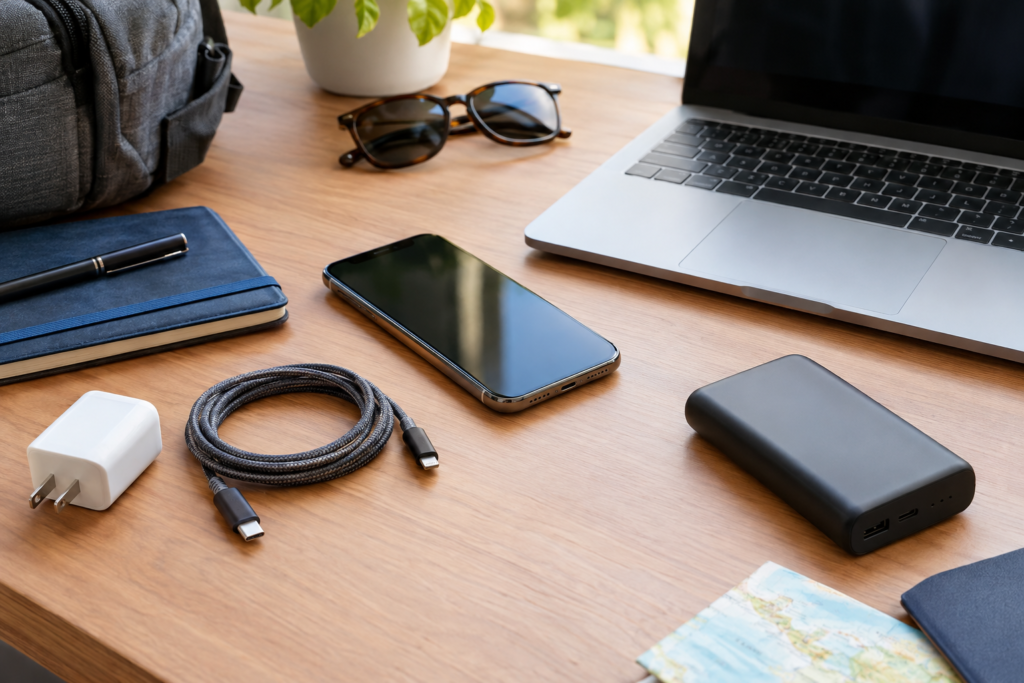
Before you head out on vacation, the right iPhone accessories can make travel easier, safer, and less stressful. A good charger, a reliable backup battery, and a few simple protection items can help you stay connected without scrambling for power at the airport, hotel, or on the road. If you use your iPhone for maps, boarding passes, photos, rideshares, work messages, or family updates, a little preparation goes a long way.
This guide focuses on practical accessories worth considering before a trip, plus a few simple setup tips that can help you avoid common travel problems. Whether you are traveling for business, taking a family vacation, or managing a short local getaway, these recommendations are meant to keep things simple and useful. If you want help choosing the right setup for your trip, iPhoneXpert offers remote help and a relevant iPhone help page for safe, practical guidance.
1) A reliable portable charger for long travel days
A portable charger is one of the most useful accessories you can pack before vacation. Travel days often mean long stretches away from outlets, especially during flights, road trips, theme park visits, or full sightseeing days. If your iPhone is doing double duty as your camera, map, ticket wallet, and communication tool, battery drain can happen faster than expected.
Look for a power bank that matches your routine. A compact model is easier to carry in a day bag, while a higher-capacity option may be better for longer trips or families sharing charging needs. If you travel with multiple devices, consider a charger with more than one port so you can top off your iPhone and another device at the same time.
Before you leave, test the charger at home. Make sure it works with your cable and charges at a reasonable speed. It is also smart to fully charge the power bank before travel and pack the cable you actually use every day, not just the one that came in the box.
2) A sturdy charging cable and a compact wall adapter
Many travel problems come down to a simple issue: the cable stops working, gets lost, or is too short to be useful. A spare charging cable can save you from a frustrating search when you need power in a hotel room, airport lounge, or rental car.
Choose a cable that feels durable and is long enough for real-world use. A short cable may be fine for a desk, but a longer one can be more practical when outlets are far from the bed or seating area. If you are traveling with a laptop, tablet, or other devices, a compact multi-port wall adapter can reduce the number of chargers you need to pack.
For business travelers, this matters even more. A dependable charging setup helps you keep your phone ready for calls, email, and calendar access without hunting for an outlet between meetings. For families, it can reduce the usual “who took the charger?” problem that tends to happen right when everyone needs power.
3) A protective case and screen protection for travel wear and tear
Vacations often involve more movement, more pocket use, and more chances to drop your phone. A protective case can help reduce damage from everyday bumps, while a screen protector can add another layer of defense against scratches and cracks.
If you are going somewhere active, think about how you will carry your phone. A slim case may be enough for light travel, but a more protective case may make sense for hiking, boating, crowded city trips, or travel with kids. If you plan to take lots of photos near water, sand, or busy outdoor areas, extra protection can be worth the small tradeoff in size.
It is also a good time to inspect your current case. If it is loose, cracked, or worn out, replacing it before the trip is usually better than waiting until after a drop. A worn case can look fine but still offer less protection than you expect.
4) A MagSafe or car mount for maps and hands-free use
If you are driving to your destination, a car mount can make navigation easier and safer. It keeps your iPhone visible without forcing you to hold it while driving, which is especially helpful on unfamiliar roads or in busy traffic. A stable mount also makes it easier to follow directions, answer calls through your car system, or switch between apps when parked.
For travelers who use MagSafe accessories, a compatible mount can make attaching and removing the phone quick and simple. If you do not use MagSafe, a standard vent, dashboard, or windshield mount may be the better option. The main goal is a secure hold that does not block your view or slide around during the drive.
Business owners and road warriors may find this especially useful when traveling between meetings, job sites, or client locations. Good phone placement can save time and reduce distractions while you are on the move.
5) A travel stand or grip for photos, calls, and video
A small phone stand or grip is easy to overlook, but it can be surprisingly helpful on vacation. It gives you a stable way to watch travel details, join a video call, follow a recipe in a rental home, or take group photos without balancing your phone on random objects.
For families, a stand can make it easier to keep kids entertained during downtime with movies or video chats. For solo travelers, it can help with self-timer photos or hands-free calls. If you work while traveling, a compact stand can also make it easier to use your iPhone as a second screen for quick tasks.
Choose something lightweight and easy to pack. The best travel accessories are the ones you will actually use, not the ones that take up space but never leave the bag.
6) A waterproof pouch or dry bag for beach and pool trips
If your vacation includes water activities, a waterproof pouch or dry bag can be a smart addition. It helps protect your iPhone from splashes, sand, and brief exposure to moisture while you are near the pool, beach, lake, or boat.
Not every trip needs this kind of accessory, but it is worth considering if you expect wet conditions or outdoor adventures. Even if your phone has some water resistance, that does not mean it is a good idea to leave it exposed around water. A pouch or dry bag adds another layer of caution.
Before you rely on any waterproof accessory, test it at home with something non-electronic first if possible. Make sure the closure works properly and that the pouch is easy to open and close. A simple check before departure can prevent a lot of stress later.
Vacation setup tips that help before you leave
Accessories are only part of the picture. A few quick setup steps can make your iPhone easier to use during the trip and reduce the chance of last-minute issues.
- Back up your iPhone before you travel. If something happens on the road, a recent backup gives you a safer starting point.
- Update iOS before departure. Doing updates at home is usually easier than dealing with them in a hotel or airport.
- Check storage space. Photos and videos can fill up your phone quickly on vacation.
- Download maps, boarding passes, or travel documents ahead of time. This can help if service is weak.
- Review battery health and charging habits. If your battery already drains quickly, plan for extra charging support.
- Set up emergency contacts and travel notes. Keep important information easy to find without exposing private account details.
If you manage a business, these steps matter even more. A travel-ready iPhone helps you stay reachable, keep schedules organized, and avoid unnecessary downtime. For homeowners and families, the same setup can make vacation days smoother and reduce the chance of losing access to photos, tickets, or messages when you need them most.
How to choose the right accessories for your trip
The best accessories depend on how you travel. A weekend city break may only require a charger, cable, and case. A long road trip may call for a car mount, power bank, and extra cable. A beach vacation may need waterproof protection and a sturdier case. A business trip may benefit from a compact charging kit, stand, and reliable cable management.
Think about your actual habits, not just the product list. If you already know you use your iPhone heavily for photos and navigation, battery support should be a priority. If you travel with children, a stand and extra charging options may be more useful than a fancy accessory you will rarely touch. If you are packing light, choose multi-use items that solve more than one problem.
It is also worth checking compatibility before you buy. Make sure the accessory fits your iPhone model and works with your case if you plan to keep the case on while charging or mounting.
When to get help before you travel
If your iPhone is already acting up before a trip, it is better to deal with it early. Common issues like fast battery drain, charging problems, storage warnings, app crashes, or sync issues can become much more annoying once you are away from home. A quick check before departure can save time and reduce stress later.
That is especially true if you rely on your phone for work, family coordination, or travel documents. You do not want to discover a problem at the airport or after you have already left town. If you are unsure which accessory or setup makes sense for your trip, remote guidance can help you make practical choices without guesswork.
Get practical iPhone help before your next trip
The right accessories can make vacation travel easier, but the best results usually come from pairing those accessories with a well-prepared iPhone. Back up your data, check your battery, pack the right cables, and choose protection that fits the way you travel. Small steps now can prevent bigger headaches later.
If you want safe, practical guidance before you leave, use iPhoneXpert remote help or visit the relevant iPhone help page. We can help you think through the setup, troubleshoot common issues, and choose the accessories that make the most sense for your trip.
Use iPhoneXpert tools before you spend money.
Compare repair, replacement, storage, security, buying, and remote-help options with practical tools built for everyday iPhone owners.
Reviewed for practical iPhone, Mac, and device-care guidance.
iPhoneXpert content is written to help readers make safer repair, buying, setup, storage, iCloud, and security decisions. Recommendations should prioritize fit, compatibility, safety, and value.
How this guide is maintained
This article is part of the iPhoneXpert reader guide library. We review practical repair, protection, buying, and troubleshooting pages for clarity and usefulness as devices, software, and repair choices change.
Need help deciding what to do?
Compare repair costs, replacement value, data risk, and urgency before you spend money.
Repair or replace?