
iPhone Back Glass Repair: When It Matters and When It Can Wait
iPhone Back Glass Repair: When It Matters and When It Can Wait A cracked iPhone back glass can be more than a cosmetic issue, but it does not always mean…
iPhone Back Glass Repair: When It Matters and When It Can Wait
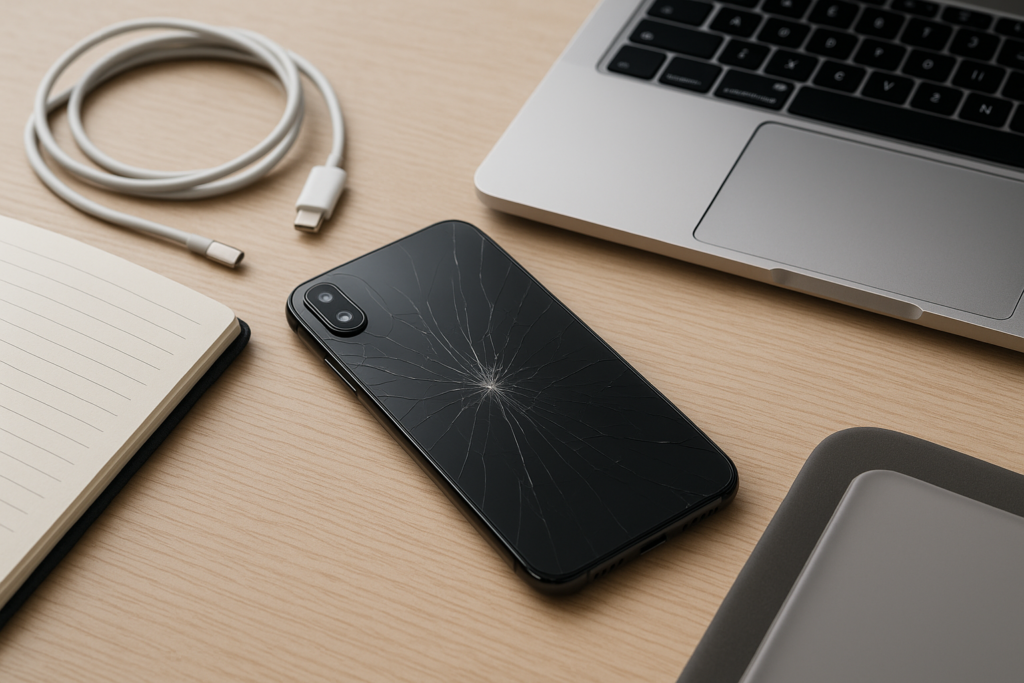
A cracked iPhone back glass can be more than a cosmetic issue, but it does not always mean you need an immediate repair. Some phones keep working normally for weeks or months with a small crack, while others become risky right away because the glass is sharp, the damage is spreading, or the phone has also taken impact to the frame, camera, or wireless charging area. The right next step depends on how the damage happened, how the phone is behaving now, and how often you rely on it for work, family, or daily communication.
Why back glass damage matters more than it first appears
On many iPhones, the back glass is part of the phone’s overall structure, not just a decorative panel. When it cracks, the damage can affect how the device feels in your hand, how well it resists dust and moisture, and whether other components are under stress. Even if the screen still looks fine, the impact that broke the back glass may have also affected the camera housing, wireless charging coil, or internal frame.
For homeowners, that can mean a phone that is still usable today but becomes harder to trust over time. For business owners, it can mean a device that still makes calls but is no longer ideal for field work, customer visits, deliveries, or any job where the phone gets handled often. If the phone is part of your daily workflow, a small crack can become a bigger inconvenience than it looks at first.
When back glass repair should be handled sooner
Some situations call for faster attention. If the glass is loose, missing pieces, or sharp enough to cut your fingers, it is usually worth addressing sooner rather than later. The same is true if the crack is spreading across the back, the phone no longer sits flat, or the camera lens area is damaged.
Signs you should not ignore
- Sharp edges that can cut skin or snag in a pocket or bag
- Cracks that are growing after normal use
- Glass pieces flaking off
- Wireless charging working inconsistently or stopping altogether
- Camera blur, haze, or visible damage near the lens area
- The phone getting unusually hot during charging or use
- Any swelling, bending, or separation in the frame
If the phone was dropped hard enough to crack the back, it is smart to watch for other symptoms too. A damaged back can sometimes be a sign that the impact was strong enough to affect the battery, charging system, or internal mounting points. That does not mean the phone is unsafe in every case, but it does mean a careful check is a good idea before the damage gets worse.
When back glass repair can usually wait
Not every crack needs an immediate same-day decision. If the damage is small, the phone still charges normally, the camera works, and there are no sharp edges, you may be able to wait while you plan the repair. This is often the case when the crack is cosmetic and the device is otherwise stable.
Waiting can make sense if you are trying to back up the phone first, compare repair options, or avoid downtime during a busy work week. The key is to be careful while you wait. Use a case if possible, avoid pressure on the damaged area, and keep an eye out for changes. A crack that seems minor today can spread if the phone is tossed into a backpack, left in a hot car, or dropped again.
If you are a homeowner using the phone mainly for personal communication, photos, and apps, a short delay may be reasonable. If you are a business owner relying on the phone for customer calls, mobile payments, scheduling, or delivery updates, even a “small” crack may be worth addressing sooner so it does not interrupt work later.
What to do right away after the back glass cracks
The first step is to protect yourself and the device. Do not press on the cracked area, and do not try to peel off loose glass with your fingers. If the edges are sharp, a case can help reduce the chance of cuts until you decide on repair. If the phone is still functioning, back it up before any repair visit or major handling.
Practical steps that help
- Back up the iPhone as soon as you can
- Use a protective case to cover sharp edges if the fit allows it
- Avoid wireless charging if the back glass is badly damaged or uneven
- Keep the phone dry and away from dust or debris
- Check whether the camera, flashlight, and charging still work normally
- Take note of any new symptoms after the drop or crack
If you use the phone for work, save important contacts, photos, notes, and app data before the damage worsens. For business owners, that can help avoid a stressful situation if the phone stops charging or becomes too uncomfortable to use during the workday.
How back glass damage can affect daily use
Back glass damage is not always about the glass itself. A cracked back can make the phone harder to hold, especially without a case. It can also collect dust and pocket lint, which may work its way into the crack. In some cases, the phone may no longer lie flat on a desk, which can be annoying for typing, charging, or using accessories.
Wireless charging is another common concern. Some phones continue to charge normally through minor damage, while others become unreliable if the back glass is badly fractured or if the impact affected the charging coil. Camera quality can also suffer if the crack is near the lens or if the camera glass is damaged at the same time.
For people who use their iPhone as a primary work tool, these issues can add up quickly. A phone that is awkward to hold or unreliable on charge can slow down calls, payments, navigation, and customer communication. That is why the repair decision is often less about the crack itself and more about how the phone fits into your day.
Repair timing for homeowners and business owners
Homeowners often have a little more flexibility if the phone is still working and the damage is stable. That said, waiting too long can turn a manageable repair into a more complicated one if the crack spreads or the phone takes another hit. If the device is used by children, carried in a busy household, or charged in different rooms, a damaged back glass may deserve quicker attention.
Business owners usually need a more practical timeline. If the iPhone supports customer calls, scheduling, mobile payments, delivery routes, or field service work, a cracked back can become a business interruption. Even if the phone still functions, it may be worth planning repair sooner to reduce the chance of downtime. A phone that is part of your daily operations should be treated like a work tool, not just a personal device.
If you manage multiple devices for a small team, it can help to set a simple rule: if the back glass is sharp, spreading, affecting charging, or interfering with camera use, get it checked before the next busy shift or appointment day.
What to expect from a proper repair check
A good repair check should look beyond the visible crack. The goal is to understand whether the damage is limited to the back glass or whether other parts were affected in the drop. That may include checking the frame alignment, camera area, charging behavior, and any signs of internal stress.
It is also a good time to confirm your backup status and review whether the phone has any other issues that should be handled at the same time. If the battery is already weak, the charging port is unreliable, or the camera has been acting up, combining repairs can sometimes be more practical than handling each issue separately.
Be cautious with any service that promises a quick fix without asking about the phone’s symptoms. A cracked back glass is often straightforward, but the real value comes from making sure the device is safe to use and that no related damage is missed.
Local, practical help when you are not sure what to do next
If you are dealing with a cracked iPhone back glass and you are unsure whether it needs immediate repair, a second opinion can save time and stress. That is especially helpful if you are in the middle of a workday, managing a household, or trying to decide whether the phone can wait until a better time.
iPhoneXpert offers remote help and practical guidance for people who want a clear next step without guesswork. If you need help deciding whether the damage is urgent, whether it is safe to keep using the phone, or what to back up before a repair, use the iPhoneXpert remote help request form or the relevant iPhone help page for safe, practical guidance.
Before any repair, transfer, or major account change, make sure your data is backed up. That simple step can make the whole process much easier and reduce the risk of losing important photos, contacts, messages, or work files.
Final thoughts
A cracked back glass is one of those iPhone problems that can be minor or urgent depending on the details. If the damage is small and the phone is still stable, you may be able to wait while you plan the repair. If the glass is sharp, spreading, affecting charging, or tied to other symptoms, it is better to act sooner.
The safest approach is simple: back up first, check the symptoms carefully, and get practical advice before the damage gets worse. If you want help deciding what to do next, iPhoneXpert remote help is a good place to start.
Use iPhoneXpert tools before you spend money.
Compare repair, replacement, storage, security, buying, and remote-help options with practical tools built for everyday iPhone owners.
Reviewed for practical iPhone, Mac, and device-care guidance.
iPhoneXpert content is written to help readers make safer repair, buying, setup, storage, iCloud, and security decisions. Recommendations should prioritize fit, compatibility, safety, and value.
How this guide is maintained
This article is part of the iPhoneXpert reader guide library. We review practical repair, protection, buying, and troubleshooting pages for clarity and usefulness as devices, software, and repair choices change.
Need help deciding what to do?
Compare repair costs, replacement value, data risk, and urgency before you spend money.
Repair or replace?