
Should You Repair or Replace Your iPhone? A Practical Decision Guide
If your iPhone is cracked, slowing down, draining fast, or acting strangely, the big question is usually the same: is it worth fixing, or is it time to…
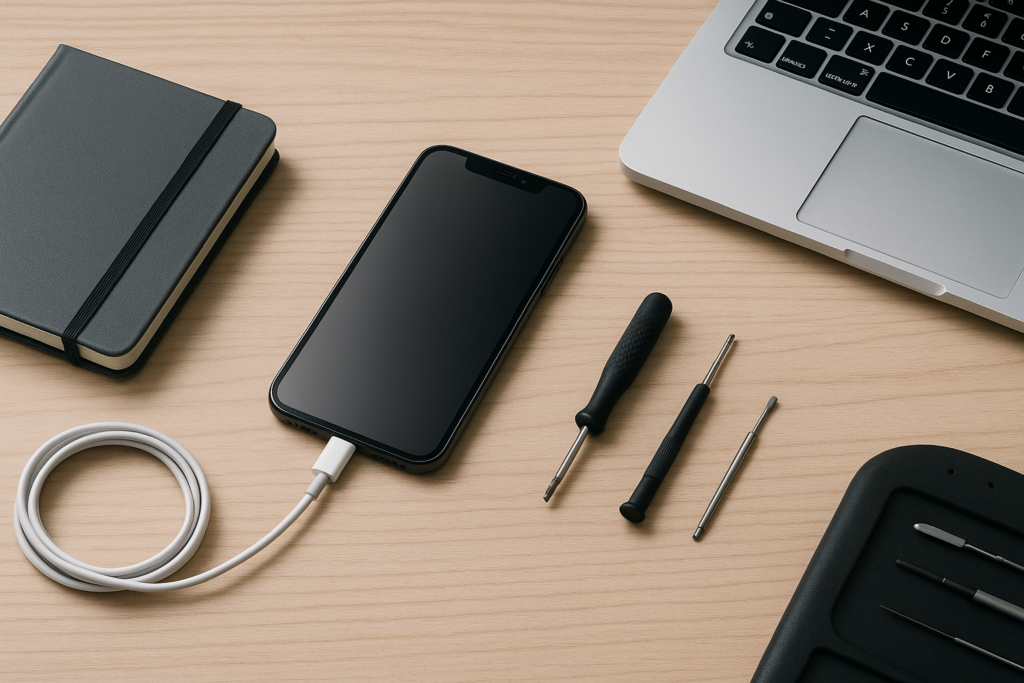
This guide breaks down the decision in plain English so you can make a practical call without guessing. Whether you use your iPhone for work, family, or both, the goal is to help you avoid unnecessary spending while protecting your data and your time.
Start with the three questions that matter most
Before you compare repair quotes or shop for a new phone, ask these three questions:
- How old is the iPhone, and does it still meet your needs?
- What exactly is wrong with it, and is the issue isolated or widespread?
- How much will the repair cost compared with replacing the device?
These questions usually point you in the right direction. A cracked screen on a newer iPhone is often worth repairing. A phone with multiple issues, weak battery health, storage problems, and repeated crashes may be a better candidate for replacement.
It also helps to think about how much disruption the phone causes. If the problem is small but annoying, a repair may be enough. If the phone affects your work, communication, or access to important accounts, the decision may come down to speed and reliability.
When repair usually makes sense
Repair is often the better option when the iPhone is still relatively current and the damage is limited to one part. This is especially true if the phone otherwise works well and the repair cost is reasonable compared with the price of a replacement.
Common repair-friendly problems
- Cracked screen or broken glass
- Battery that no longer holds charge well
- Charging port issues caused by wear or debris
- Camera problems limited to one lens or module
- Speaker, microphone, or button issues
- Minor water exposure where the phone still powers on
These issues can often be addressed without replacing the whole device. For many users, a battery replacement or screen repair gives the phone a second life and delays the cost of a new purchase.
Repair is often the practical choice if
- The iPhone is still supported by current iOS updates
- The rest of the phone is in good condition
- You recently paid off the device or want to avoid a new contract
- You rely on a familiar setup and want to avoid migration hassles
- You need a fast, budget-conscious fix for work or family use
For homeowners, repair can be the simpler option when the phone is used for everyday communication, banking, home security apps, or school coordination. For business owners, repair can be especially useful when the device is tied to email, scheduling, customer calls, or two-factor authentication on work accounts. Keeping a working phone in service may be more efficient than rushing into a replacement.
When replacement may be the better move
Replacement starts to make more sense when the iPhone is old enough that repair costs do not justify the result. It can also be the right call when the phone has several problems at once or when the device no longer keeps up with your needs.
Signs replacement may be smarter
- The phone is several generations old and no longer receives important software support
- Multiple parts are failing at the same time
- The repair estimate is close to the cost of a newer used or refurbished phone
- The phone has repeated repair history
- Storage, speed, or app compatibility is becoming a daily problem
- The device has severe liquid damage or board-level issues
When a phone needs repeated attention, the hidden cost is not just money. It is also the time spent dealing with interruptions, backups, setup, and the risk of another failure later. If your iPhone is already slowing down your routine, replacement may be the more practical long-term choice.
That said, replacement does not always mean buying the newest model. A well-chosen newer used or refurbished iPhone may be enough if you want a stable upgrade without paying top-tier pricing. The key is matching the phone to your actual needs, not just the latest marketing cycle.
Compare repair cost against real-world value
The best way to decide is to compare the repair estimate with the value the phone still provides. A repair that costs a modest amount on a newer iPhone can be worthwhile if the device still has several years of use left. A similar repair on an older phone may not be a good investment.
A simple decision check
- If the repair is a small fraction of replacement cost, repair is often reasonable.
- If the repair is close to half the cost of a replacement, compare the phone’s age and condition carefully.
- If the repair is expensive and the phone has other issues, replacement may be the better value.
Also consider the cost of inconvenience. If the phone is your main work device, even a short period without it can affect calls, messages, appointments, and payments. In that case, a repair that restores function quickly may save more than it costs.
Do not forget the data side of the decision
Before any repair, transfer, or replacement, make a backup of your iPhone. That includes photos, contacts, messages, notes, and app data where possible. Backups matter because even a routine repair can involve risk, and replacement always requires setup time.
If you are moving to a new device, make sure you know how your apps, authenticator tools, and account logins will transfer. For privacy and security, avoid sharing Apple ID passwords or verification codes with anyone. If you need help, use trusted support and keep your account access private.
Think about age, support, and daily performance
An iPhone does not need to be brand new to be useful, but age matters. Over time, batteries wear down, parts become harder to source, and software demands increase. A phone that once felt fast may become frustrating if it struggles with basic tasks.
Questions to ask about an older iPhone
- Does it still run the apps you use every day?
- Does the battery last long enough for your routine?
- Does it crash, freeze, or restart unexpectedly?
- Is storage so full that it affects normal use?
- Would a repair solve the main issue, or are there several weak points?
If the answer to most of these is no, replacement may be the cleaner solution. If the phone is still dependable apart from one obvious problem, repair may be the better value.
For local homeowners, this often comes down to convenience. If your iPhone is your main camera, navigation tool, and family communication device, a repair may be enough to keep life moving. For local business owners, the stakes can be higher because the phone may be tied to customer calls, mobile payments, appointment reminders, and business email. In those cases, a stable and predictable device matters more than squeezing a little more life out of an aging phone.
Repair or replace? A practical checklist for homeowners and business owners
Use this quick checklist to narrow the choice.
- Choose repair if: the issue is isolated, the phone is still useful, and the estimate is clearly below replacement cost.
- Choose replacement if: the phone is old, has multiple failures, or needs a repair that does not make financial sense.
- Choose repair first if: you need the phone working quickly and the rest of the device is in good shape.
- Choose replacement first if: you are already planning an upgrade and the current phone is becoming unreliable.
Homeowners often prioritize cost and convenience. Business owners often prioritize uptime and consistency. Both are valid. The best decision is the one that fits your budget, your schedule, and how much you depend on the phone each day.
How to avoid making the wrong call
A few simple steps can help you avoid spending money in the wrong place. First, get a clear diagnosis instead of assuming the worst. A phone that will not charge may have a dirty port, a worn cable, a battery issue, or a deeper hardware problem. A screen that looks dead may still have a fixable display issue rather than a full-device failure.
Second, compare more than one option when possible. Ask what part is being replaced, whether the issue is likely isolated, and whether the repair is worth it based on the phone’s age. Third, back up your data before any repair or transfer so you are not forced to make decisions under pressure.
If the device is showing signs of liquid damage, overheating, swelling, or repeated failure, stop using it and get guidance sooner rather than later. Those issues can become worse if ignored.
Get practical help before you decide
If you are still unsure whether to repair or replace your iPhone, a quick expert review can save time and reduce guesswork. iPhoneXpert offers remote help for practical troubleshooting, repair guidance, and next-step advice so you can make a safe, informed decision without unnecessary risk.
Use the iPhoneXpert remote help request form or the relevant iPhone help page when you want clear, privacy-first guidance on what to do next. If you are comparing repair versus replacement, it is a good idea to back up your iPhone first and then get advice based on the symptoms, age, and condition of the device.
Whether you are a homeowner trying to keep one reliable phone in service or a business owner trying to avoid downtime, the right choice is the one that protects your data, fits your budget, and gets you back to normal with the least hassle.
Use iPhoneXpert tools before you spend money.
Compare repair, replacement, storage, security, buying, and remote-help options with practical tools built for everyday iPhone owners.
Reviewed for practical iPhone, Mac, and device-care guidance.
iPhoneXpert content is written to help readers make safer repair, buying, setup, storage, iCloud, and security decisions. Recommendations should prioritize fit, compatibility, safety, and value.
How this guide is maintained
This article is part of the iPhoneXpert reader guide library. We review practical repair, protection, buying, and troubleshooting pages for clarity and usefulness as devices, software, and repair choices change.
Need help deciding what to do?
Compare repair costs, replacement value, data risk, and urgency before you spend money.
Repair or replace?