
iPhone Touchscreen Ghost Touch: Causes, Risks, and Repair Decisions
If your iPhone starts tapping, swiping, or opening apps on its own, you are probably dealing with ghost touch. It can be frustrating, disruptive, and in…
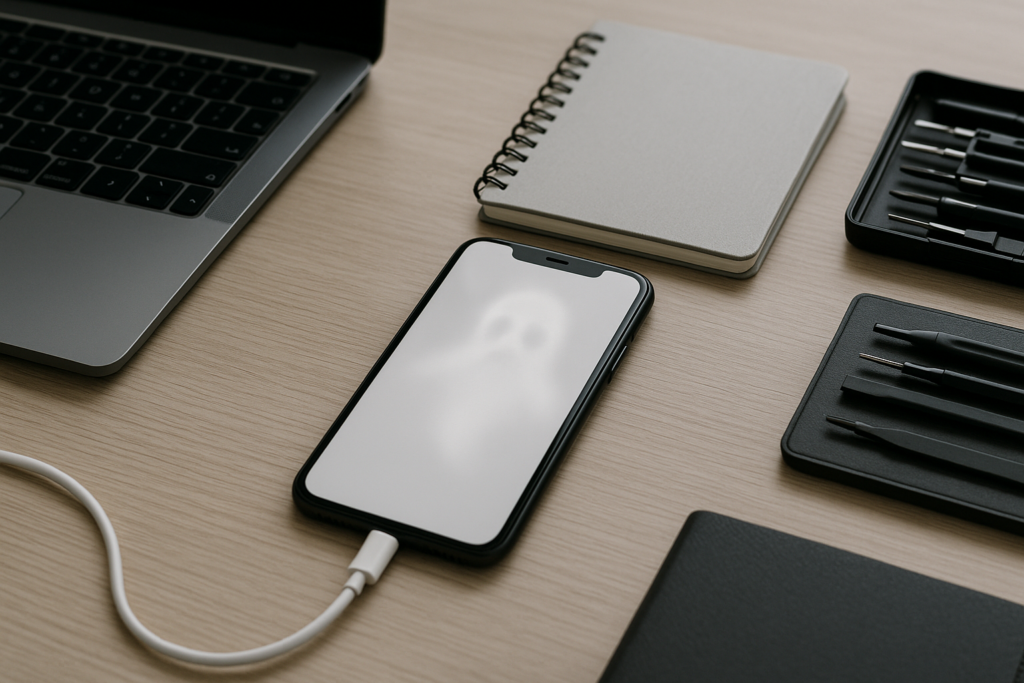
If your iPhone starts tapping, swiping, or opening apps on its own, you are probably dealing with ghost touch. It can be frustrating, disruptive, and in some cases risky if the phone is used for banking, work messages, or two-factor codes. The good news is that ghost touch does not always mean the screen is permanently damaged. In many cases, the issue comes from a screen fault, moisture, a bad accessory, software trouble, or a device that needs careful inspection before you spend money on a repair.
For homeowners, business owners, and anyone who depends on an iPhone every day, the safest next step is to slow down, protect your data, and narrow down the cause before making a repair decision. If you want practical guidance without guesswork, iPhoneXpert can help through remote help or the relevant iPhone help page.
What ghost touch looks like on an iPhone
Ghost touch is when the screen responds as if someone is touching it, even when no one is. Common signs include random app launches, typing by itself, scrolling without input, missed taps, or the screen becoming hard to control in certain areas. Some people notice the issue only after the phone warms up, after a drop, or when it is charging.
It can happen on older iPhones and newer models alike. The pattern matters. A screen that acts up only while charging may point to a cable, adapter, or grounding issue. A screen that misbehaves after a drop may have internal display damage. A phone that starts acting strangely after a software update may need troubleshooting before any hardware repair is considered.
Common causes of ghost touch
Ghost touch usually comes from one of a few categories. Identifying the likely cause helps you avoid unnecessary repairs.
1. Screen damage or digitizer problems
The touchscreen layer, often called the digitizer, can fail after impact, pressure, or age. Even if the glass looks fine, the touch layer underneath may be damaged. This is one of the most common hardware-related causes.
2. Moisture or liquid exposure
Even a small amount of moisture can create erratic touch behavior. That includes rain, steam, spills, or condensation. Liquid damage does not always show up right away, and the phone may seem normal at first before touch problems begin later.
3. Charging accessories or power issues
Low-quality charging cables, damaged adapters, or unstable power sources can create touch glitches while the phone is plugged in. If ghost touch happens only during charging, try a different certified cable and adapter before assuming the screen is failing.
4. Screen protector or case interference
A poorly fitted screen protector, thick case edge, or debris trapped around the screen can interfere with touch response. This is easy to overlook, especially if the issue started after installing a new accessory.
5. Software bugs or iOS glitches
Sometimes the problem is not hardware at all. A buggy app, a temporary iOS issue, or a corrupted setting can make the screen seem unreliable. If the phone was recently updated or a specific app triggers the problem, software troubleshooting may help.
6. Overheating or internal component issues
Heat can affect touch performance. If the iPhone gets hot during gaming, navigation, charging, or heavy app use, the screen may behave oddly. In some cases, the issue is tied to deeper internal problems such as display connectors or logic board faults.
Why ghost touch should not be ignored
Ghost touch is more than an annoyance. It can create real risks for personal and business use. A phone that opens apps on its own may accidentally send messages, change settings, delete files, or enter the wrong information in forms. If you use your iPhone for banking, delivery apps, client communication, or work email, random taps can lead to mistakes that are hard to undo.
There is also a privacy concern. If the screen is acting unpredictably, you may not be able to trust what is being opened or sent. That is especially important if the phone is used for payment apps, account recovery, or business records. Before you troubleshoot too deeply, it is smart to back up the device if you still can.
What to do first before paying for a repair
Before you commit to a screen replacement or other repair, try a few safe checks. These steps can help you rule out simple causes and protect your data.
- Remove the case and screen protector to see whether either one is causing interference.
- Clean the screen gently with a soft, dry microfiber cloth.
- Restart the iPhone to clear temporary glitches.
- Test the phone with a different charging cable and adapter if the issue appears while charging.
- Check whether the problem happens in one app or across the whole device.
- Look for signs of drops, bending, or liquid exposure.
- Back up your iPhone as soon as possible if the screen still responds enough to do so.
If the phone is unresponsive, do not keep pressing the screen hard or trying random fixes that could make the problem worse. A careful diagnosis is usually the better path.
Repair decisions: when a screen replacement makes sense
If the ghost touch problem is tied to physical damage, a display or screen assembly replacement may be the most practical repair. That is often the case when the phone was dropped, the glass is cracked, touch fails in certain areas, or the issue persists after basic troubleshooting.
Still, a screen replacement is not always the right answer. If the phone has liquid damage, charging-related glitches, or signs of a deeper board issue, replacing the screen alone may not solve the problem. That is why a proper assessment matters before spending money.
For older iPhones, it is also worth comparing repair cost against the age and condition of the device. If the battery is weak, storage is full, and other parts are wearing out, a repair decision should consider the whole phone, not just the screen.
When repair is usually worth considering
- The issue started after a drop or impact.
- The touch problem is consistent and easy to reproduce.
- The display shows visible damage, lines, flickering, or dead zones.
- The phone is otherwise in good condition and still meets your needs.
When to be more cautious
- The problem only happens while charging.
- The phone has been exposed to water or humidity.
- Multiple issues are happening at once, such as rebooting, overheating, or no display.
- You rely on the device for work and need a clear plan before downtime.
Homeowner and business owner tips for reducing disruption
Ghost touch can interrupt daily routines at home and create real workflow problems for small businesses. A few practical habits can reduce stress while you decide what to do next.
- Keep a recent backup so photos, contacts, and important files are protected.
- Use a trusted charger and avoid worn or loose cables.
- Store the phone away from moisture, heat, and heavy pressure.
- If the device is used for work, move key accounts and messages to a backup method if possible.
- Document when the issue happens so you can describe the pattern clearly during troubleshooting.
For business owners, ghost touch can be especially disruptive if the iPhone is used for scheduling, payments, customer communication, or field work. A short period of careful testing can save time later by helping you choose between repair, replacement, or temporary workarounds.
Local relevance: why fast, practical help matters
When an iPhone starts acting unpredictably, many people want a local, straightforward answer instead of a long back-and-forth. That is especially true if the phone is needed for commuting, school pickup, client calls, or running a small business. In busy local markets, the fastest solution is often the one that helps you decide whether the issue is likely software, accessory-related, or hardware-related before you spend time and money on the wrong fix.
iPhoneXpert focuses on practical support for people who need clear next steps, not scare tactics. If you are trying to figure out whether ghost touch is a screen problem, a charging issue, or something else, remote help can be a useful first step.
When to seek help right away
Some ghost touch situations deserve faster attention. Reach out sooner if the phone is overheating, the screen is becoming less responsive, you suspect liquid exposure, or the device is opening apps and sending actions on its own. It is also smart to get help quickly if the phone contains work data, client information, or important account access and you need to reduce the risk of accidental changes.
Do not enter passwords or verification codes on a screen that is behaving unpredictably unless you are confident the device is stable. If you need to reset, transfer, or repair the phone, make a backup first whenever possible.
Get safe, practical guidance from iPhoneXpert
If your iPhone has ghost touch and you want to avoid trial-and-error repairs, iPhoneXpert can help you think through the next step. Use iPhoneXpert remote help or the relevant iPhone help page for safe, practical guidance on troubleshooting, repair decisions, and what to check before you spend money on parts or service.
Whether you are a homeowner trying to keep family photos and messages safe, or a business owner trying to avoid downtime, a careful diagnosis is the best place to start. Back up your data, note when the issue happens, and get help choosing the most sensible repair path.
Use iPhoneXpert tools before you spend money.
Compare repair, replacement, storage, security, buying, and remote-help options with practical tools built for everyday iPhone owners.
Reviewed for practical iPhone, Mac, and device-care guidance.
iPhoneXpert content is written to help readers make safer repair, buying, setup, storage, iCloud, and security decisions. Recommendations should prioritize fit, compatibility, safety, and value.
How this guide is maintained
This article is part of the iPhoneXpert reader guide library. We review practical repair, protection, buying, and troubleshooting pages for clarity and usefulness as devices, software, and repair choices change.
Need help deciding what to do?
Compare repair costs, replacement value, data risk, and urgency before you spend money.
Repair or replace?